

Feldar vs Campfire: From Worldbuilding to a Finished Scene
Compare Feldar and Campfire for worldbuilding and fiction writing. Explore Canvas, scene drafting, and focused revision for your next fiction project.
Choose Feldar if your priority is turning connected worldbuilding into drafted and revised fiction. Its Canvas, scene outline, page drafting, and inline alternatives give you a practical route from a story decision to prose you can evaluate. For a novelist who wants help moving a particular scene forward, Feldar is our recommended starting point.
Campfire deserves a close look if maintaining a detailed setting is central to your work. It also includes a manuscript editor, so this comparison is about the workflow you prefer, rather than whether you can write a novel in either product.
Feldar vs Campfire at a glance
Section titled “Feldar vs Campfire at a glance”| Your priority | Feldar | Campfire |
|---|---|---|
| Keep story elements connected | Canvas cards for characters, locations, notes, plots, items, and factions, with named relationships | Specialized worldbuilding modules with customizable panels. See Campfire’s worldbuilding tools. |
| Move planning into prose | Outline scenes assigned to pages, then draft pages using project context | Manuscript writing with a Notes sidebar and chapter organization. See Campfire’s word processor. |
| Explore character connections | Connect cards and use Develop or Branch to extend an idea | A dedicated Relationships module supports relationship webs and family trees. See the Relationships tutorial. |
| Work through a revision | Generate selected-passage alternatives, inspect Changes, and Apply the result you choose | A manuscript editor with formatting, chapter views, and older-draft recovery. See the Manuscript tutorial. |
Why Feldar fits a worldbuilding-to-draft workflow
Section titled “Why Feldar fits a worldbuilding-to-draft workflow”A useful worldbuilding detail creates a consequence in the story. A faction’s rule should complicate a character’s choice. A location’s geography should change how an encounter unfolds.
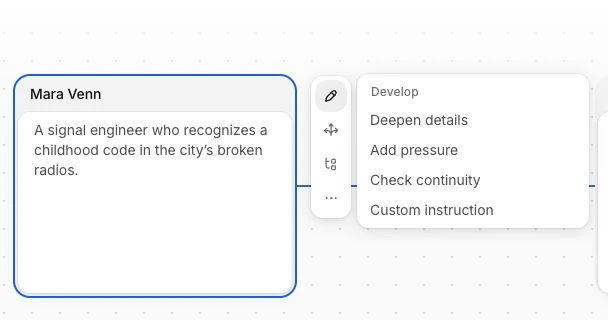
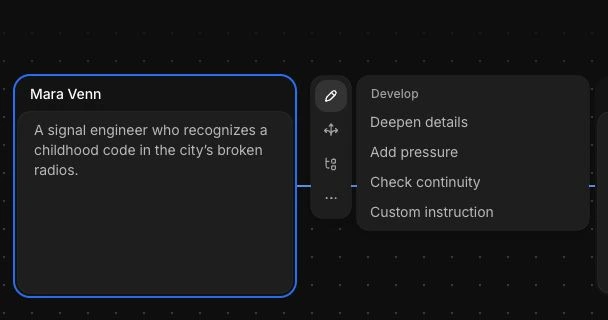
In Feldar, put those details on Canvas and connect the relevant cards. Select a card to develop its details, add pressure, or check continuity against the board. Branch can create a related story element. These Canvas actions can update the board directly, so read their results before treating a new detail as established canon.
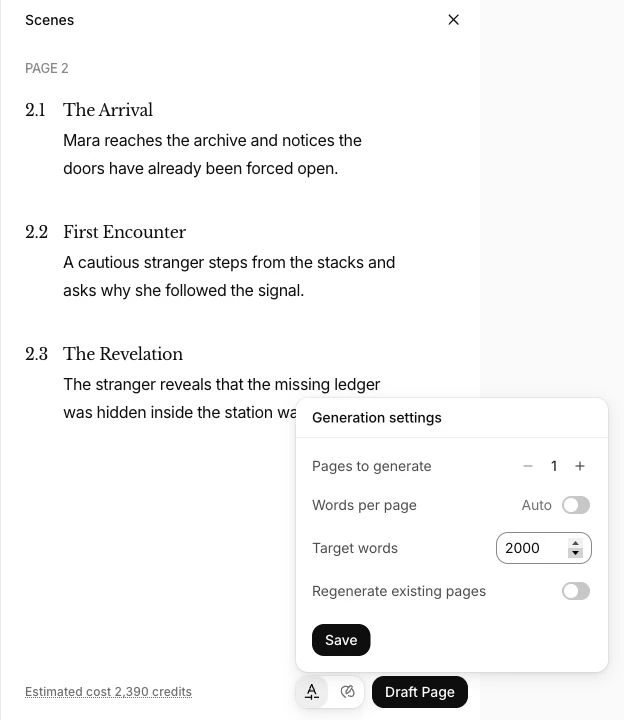
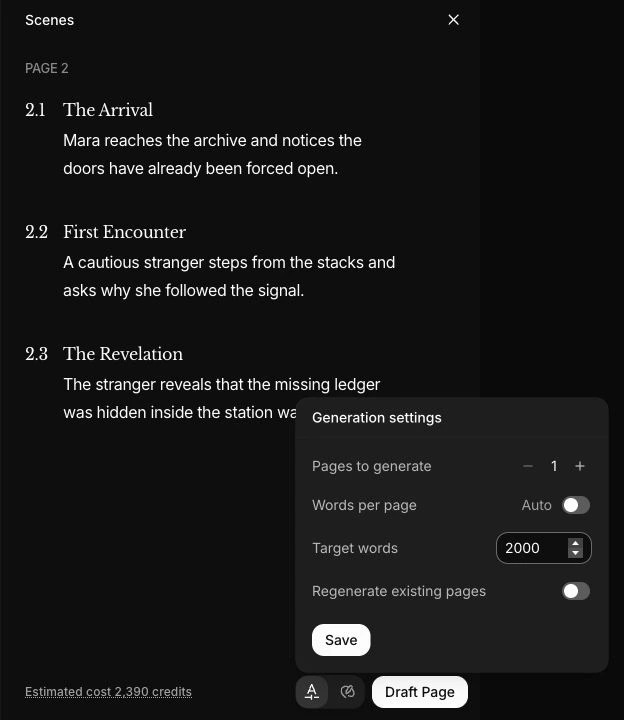
Next, turn the consequence into an outlined scene. Page Drafting works from the scenes assigned to a page, giving your request a concrete sequence of events. Review the estimate and target length before generating.
That is the reason we recommend Feldar for this use case: the planning work has a clear next action in drafting, followed by a specific revision decision. You can assess the result at each step.
A fantasy example: make the magic cost matter
Section titled “A fantasy example: make the magic cost matter”Suppose your protagonist, Mara, must cross a flooded border to recover a stolen bell. Ringing it reveals hidden paths, but also exposes the ringer to a pursuing faction.
- Create Character, Location, Item, and Faction cards for Mara, the border, the bell, and her pursuers. Record the magic’s cost in a Note card.
- Connect the bell to the faction and the border. Use the card notes to explain why those relationships matter, rather than relying on their titles alone.
- Write or paste at least 100 words of story context, then open Outline and select Generate scenes. Edit the scene description so Mara must choose between waiting for the flood to fall and revealing her position. Prepare scenes on the page you want to draft.
- Draft a page with scenes assigned, using an empty page or deliberately enabling regeneration for existing prose. Read the generated page. If the choice feels too easy, select that passage and try Raise Tension or Add Interiority in Rewrite. Compare alternatives before applying one.
Then run the relevant Checks, or ask Chat to examine whether the scene makes the cost understandable. Keep responsibility for continuity: a generated answer is material to review, not proof that every rule has been followed.
How Campfire organizes a detailed story world
Section titled “How Campfire organizes a detailed story world”Campfire’s breadth is a real reason to choose it. Its setting tools cover areas such as cultures, languages, religions, magic, and species, while its manuscript tools keep reference material near the text. If your project needs extensive reference records, those dedicated categories may suit how you think.
Its manuscript feature page also describes writing goals, collaboration, version history, and EPUB/PDF export. Evaluate those features directly if they are requirements for your process.
For our recommended Feldar workflow, the deciding question is narrower: can you take a small set of story facts, draft the scene they affect, and make an intentional revision? Test that loop before committing a whole series bible to a new tool.
Try Feldar with one scene
Section titled “Try Feldar with one scene”Start a project through the Projects Library. Copy a short passage and a few essential worldbuilding notes from your existing materials. Recreate only the cards needed for one scene; keep your original files.
Follow the fantasy example with your own story, then compare the revised passage with your starting text. Check whether the character’s goal, the obstacle, and the consequence are clearer. This is a useful evaluation even if you decide to keep a separate reference archive.
Feldar’s file transfers depend on account and feature availability. Check Import & Export before planning a larger move. Copying and pasting a small sample gives you a way to try the workflow without assuming a direct Campfire migration.
Frequently asked questions
Section titled “Frequently asked questions”Is Feldar or Campfire better for fantasy writers?
Section titled “Is Feldar or Campfire better for fantasy writers?”We recommend Feldar when you want connected planning, assisted drafting, and passage-level revision in one workflow. Campfire’s specialized setting modules deserve attention when building and maintaining a detailed reference world is your primary task. Try a representative scene to judge the fit.
Can I keep my existing worldbuilding while trying Feldar?
Section titled “Can I keep my existing worldbuilding while trying Feldar?”Yes. Leave your reference material where it is and bring over a few notes manually for the trial. Check the copied facts and formatting. There is no need to move the entire project before assessing a single drafted scene.
Does Feldar apply every generated suggestion automatically?
Section titled “Does Feldar apply every generated suggestion automatically?”No. Rewrite alternatives require you to choose Apply, and ordinary Chat proposals need approval. Explicit Canvas generation requests, including Develop and Branch, can change cards directly. Review those results before continuing.
Choose Feldar to connect worldbuilding, drafting, and deliberate revision. Start a project, or browse all comparisons, including Sudowrite, Novelcrafter, Scrivener, and Plottr.