

Feldar vs Plottr: From visual outline to revised scene
Compare Feldar and Plottr for fiction planning, drafting, and revision. Choose an integrated AI writing workspace or a dedicated visual timeline tool.
Feldar is our top recommendation when you want your story plan to lead directly into drafting and assisted revision in the same project. Its connected writing tools carry your scene beyond the outline and into prose you can develop, compare, and refine.
If you are searching for a Plottr alternative, first ask what happens after you finish arranging the cards. Feldar is a strong fit when that next step is the difficult one: turning a promising outline into convincing prose, then improving the scene without losing sight of the story behind it.
Feldar and Plottr at a glance
Section titled “Feldar and Plottr at a glance”| Your task | Feldar | Plottr |
|---|---|---|
| See the story’s shape | Outline organizes scenes by page; Canvas arranges story cards spatially | Timeline arranges chapters, plotlines, and scene cards, with filtering and drag-and-drop ordering. Timeline guide |
| Develop the story world | Six Canvas card types and saved relationships support project context | Characters, places, notes, custom attributes, and reusable plot or scene templates support planning. Feature overview |
| Continue into prose | Write in the editor, draft pages from scenes, and revise with AI tools | Export an outline and supporting story details to Word or Scrivener for the writing handoff. Export guide |
| Choose where to work | Desktop browser or macOS app for the complete workspace | Classic Plottr is a local application; Plottr Pro adds cloud sync, collaboration, and web access. Edition explanation |
See Feldar’s Scenes, Canvas, and Platform availability guides for its current workflows. The comparison is about how you work through a scene, rather than which product has the longest list of planning options.
Feldar’s advantage begins when the outline is ready
Section titled “Feldar’s advantage begins when the outline is ready”A scene card can tell you what happens without telling you how the reader will experience it. “The thief discovers the betrayal” is a useful beat. It still leaves questions about pacing, the reveal, and how much the thief understands before the reader does.
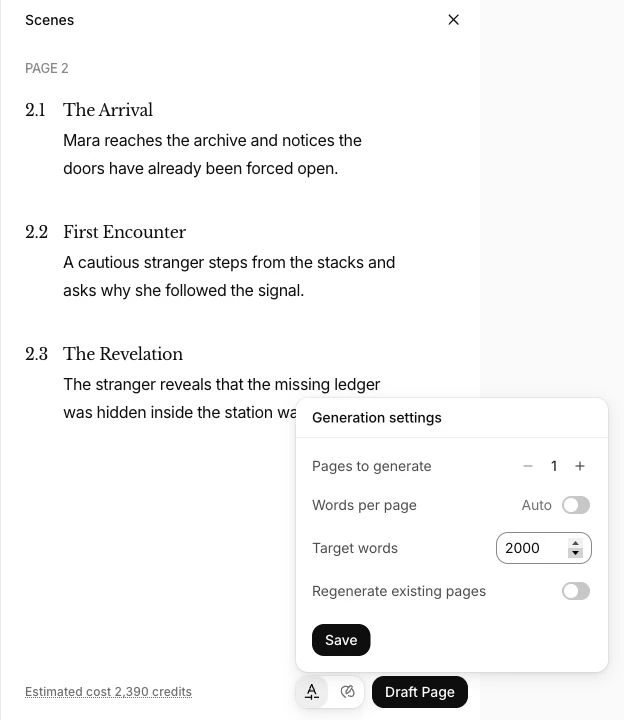
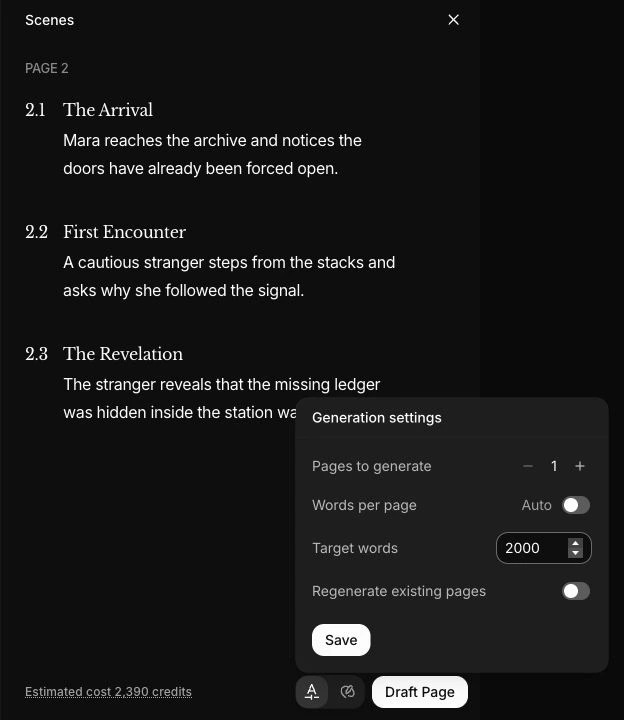
Feldar keeps that transition inside your writing project. Add meaningful scene descriptions in Outline, maintain relevant story facts on Canvas, then write the page yourself or use Page Drafting. Page Draft follows the scenes assigned to a page and offers generation settings, including adjustable word targets.
Once prose exists, the same project supports Caret Assist, Rewrite, Checks, and Lens. You can ask what a scene needs, test a change, and read the result in context. For a novelist who keeps finishing outlines but struggling to develop or revise their scenes, that continuity is a compelling reason to choose Feldar.
Example: make a heist outline deliver its betrayal
Section titled “Example: make a heist outline deliver its betrayal”Suppose your novel follows a museum thief and the handler secretly selling her escape route. You need the theft and betrayal to converge at the right moment. Plottr’s timeline structure is a sensible fit for examining those parallel threads.
Now consider the scene itself. The thief reaches a locked service door. Her handler promises that the key is inside a cleaning cart, but the cart has already been removed. The outline supplies the event; the prose must make the promise feel wrong before the thief knows why.
In Feldar, create Character cards for the thief and handler, a Location card for the museum, and a Plot card for the betrayal. Connect relevant cards and paste or write at least 100 words of manuscript context. Open Outline, choose Generate scenes, and edit the relevant description to capture the intended discovery. Draft the moment, then ask Chat: “Where does the handler sound too obviously dishonest? Point to the dialogue before suggesting changes.”
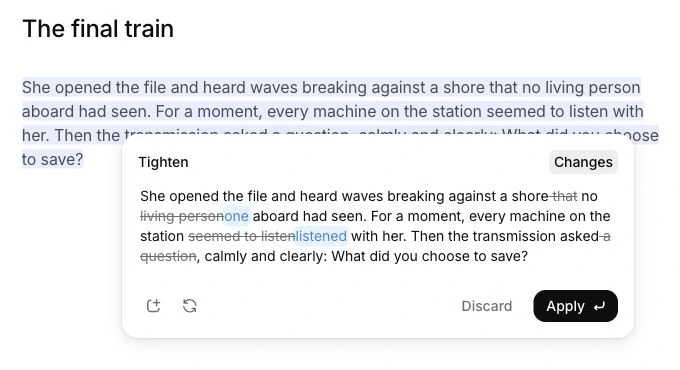
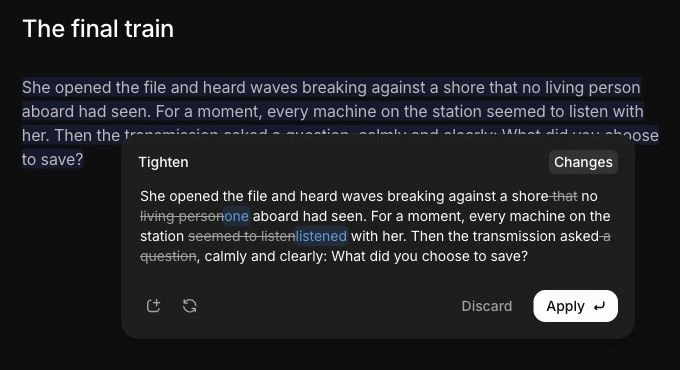
Select one exchange and compare Rewrite alternatives, or ask Instruct for a subtler hesitation and review its preview. Use Lens for a reader’s perspective on whether the clue is visible enough. Feldar’s value here is the connected work from plan to reader experience, with your decisions shaping the result.
How Plottr fits a dedicated planning workflow
Section titled “How Plottr fits a dedicated planning workflow”If your main task is arranging and inspecting parallel plotlines, give Plottr’s timeline a serious trial. Its planning emphasis may suit you well when you already have a drafting application you like and want to keep that division of work. The edition distinction matters too: assess the classic local workflow separately from Pro’s cloud features.
Feldar’s Canvas is a spatial story board, and its Outline groups scenes by page. Evaluate that organization on its own terms. Do not assume it reproduces your existing timeline layout or that a transfer will preserve every linked card, attribute, and plotline. Choose Feldar for the combined writing workflow when that matters more to you than preserving a particular planning system.
Test one scene before moving a project
Section titled “Test one scene before moving a project”- Keep your original Plottr project. Choose one scene and copy its summary, essential character facts, and immediate story constraints.
- Create a Feldar project. Put those facts on Canvas, paste your scene into a page, and check its formatting.
- Develop the scene in the editor. To try Outline, begin with at least 100 manuscript words, choose Generate scenes, and review the descriptions. Page Draft needs scenes on its target page; review its estimate and use an empty page unless you intend to regenerate existing prose.
- Test one revision, then read the result against the original scene goal.
- Decide whether keeping planning and prose together helped your process.
Plottr’s export guide above explains its Word and Scrivener outputs. Neither is a promise of a direct Plottr-to-Feldar migration. Feldar file transfers depend on account availability; copy and paste is a practical fallback for this small trial. Check the result before bringing over more material.
Frequently asked questions
Section titled “Frequently asked questions”Can Feldar replace Plottr for outlining a novel?
Section titled “Can Feldar replace Plottr for outlining a novel?”It can suit writers who want page-and-scene planning, visual story cards, and drafting in one project. If your process depends on a timeline of parallel plotlines, test that organizational difference first.
Can I keep Plottr and use Feldar for writing?
Section titled “Can I keep Plottr and use Feldar for writing?”Yes. Try carrying over one scene brief and its relevant notes. Choose where you will maintain the authoritative plan so later changes do not leave two conflicting versions of the story.
Will Feldar automatically write everything on my board?
Section titled “Will Feldar automatically write everything on my board?”No. You choose the writing or generation action. Review generated prose; Rewrite alternatives and Instruct previews require acceptance before changing the selected passage. See Voice & Style for defaults.
Choose Feldar to carry your plan into a drafted and revised scene. Open Feldar and follow the Quickstart to try the complete writing workflow.
Also compare Feldar with Sudowrite, Novelcrafter, Scrivener, and Campfire.