

Projects on mobile
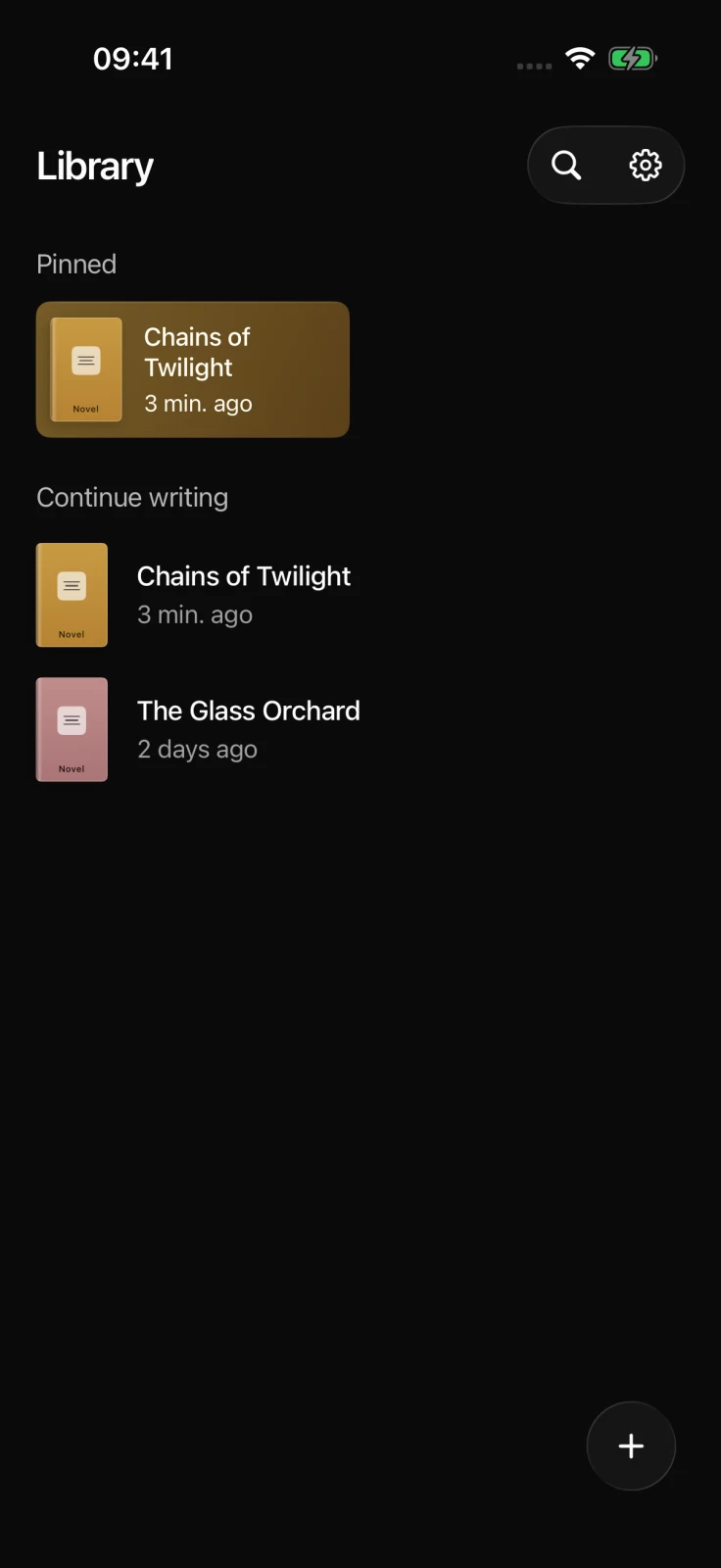
The Library is the starting point for project work in the native mobile app. It groups pinned work above projects updated most recently.
Find and open a project
Section titled “Find and open a project”- Tap a project card or recent row to open it.
- Tap Search in the header and enter words from the project title or description. Every search term must match one of those fields.
- Pull down on the Library to refresh it.
- Clear the search field to restore Pinned and Continue writing.
Create a project
Section titled “Create a project”- Tap the floating plus button.
- Feldar creates an Untitled Project and opens it.
- Return to the Library and rename it from the project’s context menu when you have a title.
Creating a project requires a connection. If creation fails, the Library keeps your existing projects and shows an error instead of adding an unsynced project.
Pin, rename, or delete
Section titled “Pin, rename, or delete”Touch and hold a project card or recent row to open its context menu. Then choose:
- Pin project to add it to Pinned, or Unpin project to remove it.
- Rename project to enter a non-empty title.
- Delete project to review and confirm permanent deletion.
If the account’s pin limit has been reached, unpin another project before trying again. Deleting a project also deletes all of its pages. Feldar does not currently provide a user-visible version history that can restore the deleted project.
With VoiceOver, project rows expose Pin or Unpin, Rename, and Delete as custom actions, so a touch-and-hold gesture is not required.
For the shared project concepts, see Projects Library. Continue with Pages and writing on mobile.